Art Studio Doodle Vector 01: Integrating Scalable Assets into Creative Workflows
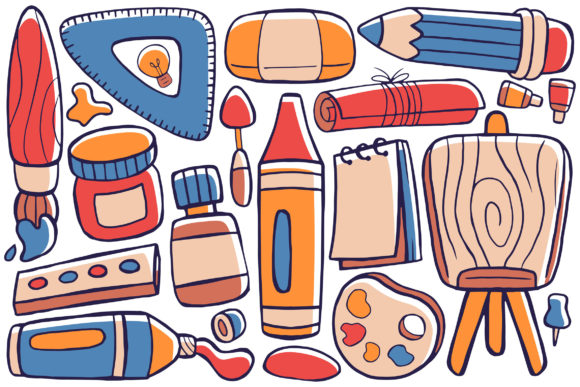
Effective visual communication requires assets that are both aesthetically pleasing and technically robust. Art Studio Doodle Vector 01 serves as a foundational resource for designers, marketers, and content creators who need versatile graphical elements without the technical limitations of raster images. This collection is not merely a set of decorations; it is a functional toolkit designed to streamline the production of templates, web graphics, infographics, and social media materials. By providing 100 distinct vector illustrations in a flat design style, this package addresses the common bottleneck of sourcing consistent, high-quality visuals that can adapt to various project specifications.
The primary advantage of incorporating Art Studio Doodle Vector 01 into your workflow lies in its vector architecture. Unlike pixel-based images that degrade when scaled, these files maintain perfect clarity at any dimension. Whether you are designing a small icon for a mobile app interface or a large-format banner for a trade show, the mathematical precision of vector graphics ensures crisp edges and smooth curves. This scalability eliminates the need to source multiple resolutions of the same asset, significantly reducing file management overhead and ensuring brand consistency across different media touchpoints.
Technical Specifications and File Compatibility
Understanding the technical deliverables is essential for seamless integration into existing design ecosystems. Art Studio Doodle Vector 01 is engineered for broad compatibility with industry-standard software. The inclusion of native AI (Adobe Illustrator) files allows for deep customization, enabling users to manipulate anchor points, adjust stroke weights, and modify color palettes directly within their primary workspace. For teams using alternative vector software or requiring cross-platform compatibility, the EPS format provides a reliable interchange standard that preserves editability.
Beyond editable source files, the package includes ready-to-use outputs that cater to immediate deployment needs. The PDF files offer a lightweight, universally viewable format suitable for client presentations or print-ready proofs. For digital applications where transparency is required, such as overlaying doodles onto colored backgrounds or complex photography, the PNG files provide clean alpha channels without jagged edges. Additionally, high-resolution JPG files sized at 4000 x 6000 pixels serve as excellent standalone assets for contexts where vector editing is unnecessary, such as quick social media posts or document inserts. This multi-format approach ensures that every stage of your project, from initial concept to final delivery, is supported by the appropriate file type.
Streamlining the Pre-Production and Planning Phase
Before a single pixel is pushed in a final design, Art Studio Doodle Vector 01 plays a critical role in the planning and ideation stages. During wireframing and storyboarding, having access to a library of pre-made artistic elements allows creators to visualize concepts faster than drawing from scratch. Instead of spending hours sketching placeholder icons, you can drag and drop relevant doodles to establish visual hierarchy and layout balance. This accelerates the approval process with stakeholders, as mockups appear more polished and intentional even in early drafts.
For educators and instructional designers, this asset pack facilitates rapid curriculum development. When planning learning modules, visual metaphors are often needed to explain abstract concepts. The flat design style of these illustrations offers a neutral yet engaging aesthetic that supports cognitive load management without distracting learners. By integrating these vectors during the lesson planning phase, educators can ensure that visual aids align perfectly with textual content, creating a cohesive learning experience before production begins.
Execution Strategies for Digital and Print Media
During the active creation phase, the versatility of Art Studio Doodle Vector 01 becomes apparent in its application across diverse mediums. For web designers, these vectors are invaluable for creating custom UI elements, hero section illustrations, and blog feature images. Because they are fully editable, colors can be adjusted via global swatches to match specific brand guidelines instantly. This capability is crucial for maintaining visual identity across a website while keeping the design fresh and varied. The flat design aesthetic also pairs exceptionally well with modern minimalist web trends, adding personality without cluttering the user interface.
In the realm of social media marketing, consistency is key to building audience recognition. Content creators can utilize these 100 illustrations to develop a recurring visual language. By selecting a subset of doodles that resonate with their brand voice, marketers can create reusable templates for quotes, announcements, and educational carousels. The ability to resize these assets without quality loss means a single master file can be adapted for Instagram Stories, LinkedIn headers, and YouTube thumbnails simultaneously. This efficiency allows for higher content velocity without sacrificing design quality, a critical factor for growth-focused entrepreneurs and freelancers.
Print workflows benefit equally from the high-resolution nature of this collection. Publishers and small business owners producing physical collateral, such as brochures, packaging, or merchandise, require assets that withstand professional printing standards. The 4000 x 6000 pixel baseline for raster exports ensures sufficient DPI for most commercial applications, while the vector sources allow for infinite scaling for large-format signage. When preparing files for print, users should leverage the CMYK color conversion capabilities within Adobe Illustrator to ensure accurate color reproduction, utilizing the vector data to avoid the banding or pixelation often associated with low-res stock imagery.
Post-Project Organization and Asset Management
The value of a digital asset extends beyond its initial use; long-term utility depends on proper organization and archiving. After completing a project with Art Studio Doodle Vector 01, it is best practice to integrate the used assets into a centralized digital asset management (DAM) system or a structured local library. Tagging specific doodles with relevant keywords—such as "creativity," "office," "technology," or "emotion"—ensures they remain discoverable for future campaigns. Since the collection contains 100 unique items, systematic categorization prevents redundancy and saves time during subsequent projects.
Furthermore, consider creating derivative libraries based on your specific brand adaptations. If you have customized the color palette and stroke styles of Art Studio Doodle Vector 01 to fit a corporate identity, save these modified versions as separate, branded assets. This creates a proprietary extension of the original pack that is immediately ready for team members who may not have the time or skill to customize the raw vectors themselves. This approach promotes consistency across distributed teams and ensures that the investment in this asset pack continues to yield returns through standardized, on-brand visual communication.
Maximizing Customization and Efficiency
To fully leverage the "easy to edit" promise of this collection, users should adopt non-destructive editing workflows. When modifying Art Studio Doodle Vector 01 in Adobe Illustrator, utilize layers and groups effectively. Keep original shapes intact on locked layers while applying modifications on new layers above. This preserves the integrity of the base illustration, allowing you to revert or create alternative variations without starting over. Global color swatches should be established immediately upon opening the file, enabling one-click recoloring across multiple selected elements.
Educators and productivity-minded users can also combine these vectors with other tools to enhance output. For example, importing the transparent PNGs into presentation software like PowerPoint or Keynote can elevate slide decks beyond standard bullet points. Similarly, integrating the SVG or EPS files into no-code website builders allows for lightweight, fast-loading graphics that improve site performance scores. Understanding how these vectors interact with your broader tech stack transforms them from static images into dynamic components of your productivity ecosystem.
Quality Control and Best Practices
Maintaining high standards when using stock vectors requires attention to detail. While Art Studio Doodle Vector 01 provides high-quality source material, the final output depends on implementation. Always check for open paths or stray anchor points after resizing or combining elements, as these can cause rendering issues in certain web browsers or print RIP software. Ensure that color modes are appropriate for the destination medium; mixing RGB and CMYK elements in a single print file can lead to unpredictable color shifts.
Finally, consider the context of use. Flat design relies heavily on negative space and simplicity. When incorporating these doodles, resist the urge to overcrowd compositions. Allow each illustration to breathe so that its message remains clear. Test resized vectors at actual viewing distances; what looks detailed on a 27-inch monitor may become indistinct on a mobile screen or a distant billboard. By applying these practical quality control measures, you ensure that the flexibility of Art Studio Doodle Vector 01 translates into professional, effective results every time.
Integrating Art Studio Doodle Vector 01 into your creative or business processes offers a tangible improvement in both efficiency and output quality. From the initial planning stages to final execution and long-term asset management, the combination of scalable vector formats, comprehensive file types, and editable flat design aesthetics supports a wide range of professional applications. Happy designing and happy purchasing come not just from acquiring new tools, but from mastering their application in real-world scenarios to achieve better outcomes with less friction.